

- Описание
- Ограничения
- Требования
- Что нового
Passmark PerformanceTest - это программа эталонного тестирования аппаратных средств компьютера, которая обеспечивает быструю оценку работы "железа" (поддерживаются как однопроцессорные, так и двухпроцессорные системы).
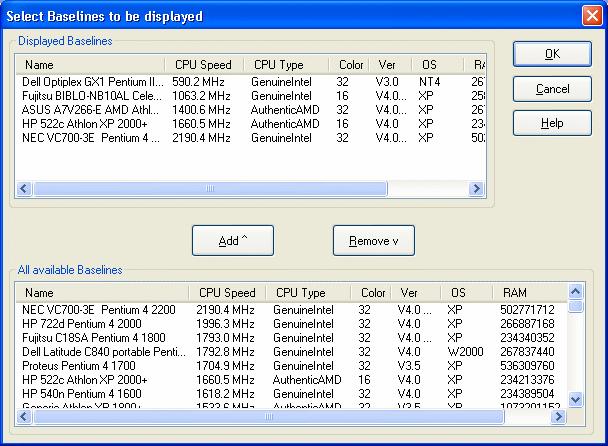
Результаты тестирования представляются в виде гистограммы, что позволяет быстро сравнить полученные результаты с множеством базовых компьютерных систем.
Автор обзора
:
Сергей Нечаев, 20.03.2024
Оценка:
Ограничения бесплатной версии
- 30 дней работает без регистрации.
Специальные требования
- ЦП Pentium 4 или мощнее;
- 2 Гб оперативной памяти;
- 300 Мб свободного места на жестком диске;
- видеокарта, поддерживающая DirectX 9 (рекомендуется совместимая с DX 12).
Что нового в этой версии?
9.0 Build 1030
(14.12.2018)
- обновлена библиотека системной информации для поддержки Radeon RX 590;
- поддержка получения информации о процессоре Intel Goldmont;
- исправлен сбой, происходивший во время теста диска;
- обновлены температурные показатели для некоторых процессоров AMD Ryzen, чтобы сделать данные более точными.
Скриншоты и видео:



| Категория: | |
| Системы: |
Windows
|
| Размер: | 102 Мб |
| Автор: | PassMark Software ( Сайт) |
| Языки: |
Английский
|
| Лицензия: |
Trial
(Платная)
|
| Обновление: | 20.03.2024 |
| Версия: | 11.0 Build 1011 |
Новые отзывы о PassMark Performance Test
Хороших отзывов пока нет. Оставьте свой и помогите другим с выбором!
Добавить отзыв
Наборы c этой программой
» Программы для диагностики
Программы для проверки производительности системы, а также диагностики и профилактики неполадок.
Вопросы и ответы по программе
Пока нет вопросов о «PassMark Performance Test». Ваш может стать первым!
Задайте свой вопрос!


