· Регистрация 
софт скрипты драйвера форумы блоги  
Пример: windows
Софт
Новости софта
Обзоры
Статьи
Авторам
Софт
Mac Linux PDA/Mobile
Windows Интернет Серверы Разное

Страница программы SSH Server 6.1

GoodTech SSH Server is a server application that runs on a host computer and allows remote users to securely access the host


  Описание программы   Комментарии (0)   Скриншоты (0)   Файлы (1)  
АвторGoodTech Systems
СайтПерейти
Обновление21.05.2007, 16:39
НазваниеSSH Server
ВерсияSSH Server 6.1
ЯзыкиАнглийский
ЛицензияShareware
Стоимость150 $
СистемыWindows NT/2K/XP/2003
Размер1.14 Мб
Рейтинг
Голосов: 1

Скачать бесплатно SSH Server
Закачек: 22
найти или купить на Allsoft.ru
софт в Allsoft.ru 


Описание программы SSH Server
SSH Server provides secure remote access to your computer that includes:
· Secure Remote Console
· Secure File Transfer (SFTP and SCP)
· Port Forwarding (secure TCP/IP connection tunneling)
GoodTech SSH Server is a server application that runs on a host computer and allows remote users to securely access the host. When GoodTech SSH Server is installed on your Windows system, you can securely telnet from remote systems and run programs on your Windows System. It is a secure, functional, easy to use and high performance tool, that is written based on security standards, can communicate with any standard SSH client and is highly integrated with Windows operating system. You can connect to GoodTech SSH Server from anywhere in the world and login as if you were sitting at the console, using SSH client. Whether you are a system administrator, a programmer or a DOS application user, GoodTech SSH Server can provide you with the SSH Server functionality that you need.
Secure Command Shell
Remotely and securely administrate corporate servers
With SSH Server, the remote administrator can support a system that may be physically located miles away. You can securely access and administrate web, mail, database, and application servers.
Remotely and securely maintain corporate user machines
You can securely control and maintain corporate user machines from your desk. The machines can be physically spread out miles away from you and from each other.
Share corporate server resources
Remote users can run programs on corporate servers rather than on their machine. It is more efficient to do so in case the program requires large amounts of resources that reside on the host.
Edit files remotely
Use text oriented editors (e.g., EDIT and vi) to edit files on the remote system.
Remote-command execution
Run unattended batch files or scripts using remote command execution.
Run old platform applications
You can port applications from old platforms to run on Win NT/2000/XP/2003. A secure shell is used to provide the interface to the users.
Run multiple users on a single Windows system
Windows NT/2000/XP/2003 can handle multiple users running different jobs at the same time. For example, a compilation server can be used by a group of programmers at the same time.
Secure File Transfer
Automated secure file transfers
Use secure clients to automate file transfers.
Internet/Intranet file transfer
Secure upload and download of files from/to the corporate to/from outside the corporate.
Business-to-business solutions
Create a secure file sharing infrastructure for exchanging files with customers and partners.
Port Forwarding / Tunneling
Turn any standard TCP/IP insecure server applications into secured apps
Use GoodTech SSH Server secure channel. GoodTech secure server communicates securely with the client and forwards the communication to the insecure server application.
· Ключевые особенности и характеристики SSH Server 6.1
Secure Shell
· Provide secure remote access based on SSH2 protocol standard
· Control access to servers and networks using Windows built-in usernames and passwords
· Support for a wide selection of ciphers including: Blowfish, RC4,IDEA
· Host server identifies itself to a client using a unique host key
· Limit the access by host names or IP addresses
· Forward TCP/IP ports to a secure channel
· Access to files and folders is restricted based on Windows operating system permissions
· Control which IP and port to listen on
· Connect with a wide variety of Secure Shell clients including: OpenSSH, PUTTY, F-Secure, SSH Communications, and other standard SSH2 clients

Command Shell
· Use CMD.exe or other popular shells available like Bash, Korn and C Shell
· Support for VT 100, VT 220, etc
· Option to switch between screen mode for screen mode applications to line mode with scroll buffer
· F1 thru F12, CTRL-F1 thru CTRL-F12, SHIFT-F1 thru SHIFT-F12, ALT-F1 thru ALT-F12. Support for CTRL-C and ESC
· Colorful and graphic PC applications keep their look. (i.e. Edit.com, FCW.exe, etc.) Support for screen size other than 25*80
· Support for bell sound on client
· Support for network drive home directory and domain logon script
· Support for global login script for ALL users

Secure File Transfer
· Connect with a wide variety of Secure FTP clients including: WinSCP, CuteFTP, etc
· Support for domain users

Administration & Configuration
· Control services, user sessions and printer queues via either command line interface or a Web interface
· Control services: Shutdown, restart, pause, and resume. Control user sessions: monitor user sessions, enable/disable new sessions, limit the number of sessions, kill open session, etc
· Configure general server options like listening port, idle timeout period, etc
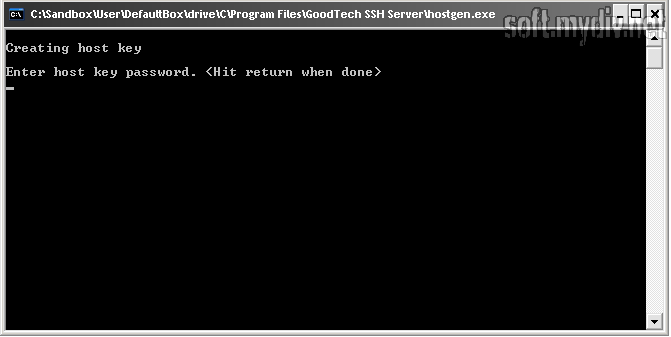
· Generation and management of the host server key
· Choose SSH protocol, cipher algorithm for data encryption, MAC for data integrity and compression for faster transfer rate
· Configure which hosts can connect by IP address
· Screen and line mode based on IP address or username

Customization
· Display customized text when users connect
· Allow user to automatically run an application/script following logon
· Allow to set up user home directory

Server Application
· Graceful termination in all cases including abnormal termination of client because of link or computer failure
· Logon using a local machine user or a domain user
· Allow a remote host program to print on the printer attached to your local terminal (or PC running terminal emulation)
· Ограничения SSH Server 6.1
Ограничения не определены
· Специальные требования SSH Server 6.1
Специальные требования не определены
· История версий и изменений SSH Server
История пуста
· Описание и дополнения от редакторов и пользователей сайта
Пока нет
Связанные статьи, обзоры и новости
Нет относящихся к программе статей и обзоров.


Другие программы от GoodTech Systems

Telnet Server 6.4
Telnet Server will turn a Windows NT/2000/XP/2003 system into a multi-user Telnet server
18.12.2006, 06:34 | 463 Кб | Trial | 10

     
Похожие программы

VServer Embedded 2.3
With VServer Embedded you can create and deploy Valentina 2 distributable components
26.05.2007, 05:50 | 4.29 Мб | Shareware | 3


SSL-Explorer Community Edition 0.2.12
SSL-Explorer -is a free browser-based SSL VPN solution
26.04.2007, 02:34 | 21.5 Мб | GPL | 20


YAFPC-Appliance 3.01
YAFPC-Appliance is a CD-ROM image based on KNOPPIX technology and the freeware PDF Composer/ PDF Printer/ PDF Mailer YAFPC
26.04.2007, 01:10 | 123 Мб | Trial | 0


Palabre 0.5.1
Palabre software is an open source (and free as in free beer) XML Socket Python Server.
24.04.2007, 08:51 | 6.72 Мб | Freeware | 1


miniSipServer 1.5.2
miniSipServer is a simple SIP server, it can be registrar server and proxy server
21.04.2007, 02:27 | 1.13 Мб | Trial | 6

Разделы
Рабочий столИгрыИнтернетБраузерыНастройка браузераОффлайн браузерыОбщениеЭлектронная почтаМенеджеры загрузокFTP клиентыФайлообмен, шарингИнтернет-вещаниеНовости и блогиБлокировка мусораУдаленное управлениеПоиск и раскруткаСерверыБазы данныхПочтовые СерверыFTP-серверыПрокси-серверыУтилитыHTTP-серверыРазноеТелефония, SMSВеб-дизайнВеб-камерыЗакладкиРазноеМультимедиаСетиОфисное ПОПортативное ПОРазработкаБезопасностьСистема и утилитыДругие