

- Описание
- Возможности
- Требования
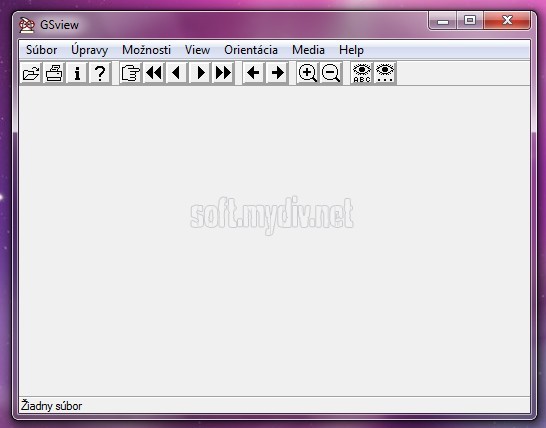
GSview - это программное обеспечение, которое представляет собой графический интерфейс для Ghostscript. В свою очередь Ghostscript - это интерпретатор языка описания страниц PostScript, который используется в лазерных принтерах. Для документов, следующих соглашению о структурировании - Adobe PostScript Document Structuring Conventions, GSview позволяет просматривать и распечатывать выбранные страницы.
Ключевые особенности и функции
- Программа позволяет просматривать и распечатывать файлы PostScript и PDF.
- Возможность просматривать страницы в произвольном порядке (Следующая, Предыдущая, Заданная).
- Размер страницы и ориентация автоматически задаются согласно DSC-комментариям. Также их можно самостоятельно задавать с помощью меню.
- Возможность распечатывать выбранные страницы с помощью Ghostscript.
- Возможность конвертировать страницы в растровое изображение, PDF или PostScript.
- Возможность задавать разрешение, глубину, альфа-канал и т.д.
- Программа имеет кнопку для увеличения масштаба изображения.
- Возможность извлекать выбранные страницы в другие файлы.
- Возможность копировать отображенную картинку в буфер обмена.
- Возможность сохранять скопированное изображение из буфера обмена в BMP-файл.
- Возможность добавлять растровое изображение или предварительно просматривать файлы EPS (TIFF или Windows Metafile).
- Возможность задавать и отображать графическую рамку для EPS-файлов.
- Возможность из DOS предварительно просматривать растровое изображение или PostScript, которые содержит EPS-файл.
- Возможность искать или извлекать текст.
- Программа может читать PostScript и PDF-файлы сжатые с помощью gzip и bzip2.
- Онлайн помощь.
- Исполняемые файлы поддерживают Win32, OS/2 и GNU/Linux. Старые версии также поддерживают Win16.
- Программа может запускаться непосредственно на CD-ROM.
- Программа поддерживает английский, каталонский, нидерландский, французский, немецкий, греческий, итальянский, русский, словацкий, испанский и шведский языки.
- Включает программу установки.
- Программа полностью бесплатна (Aladdin Free Public Licence).
- Программа работает с Ghostscript 7.04 - 9.19 (GSview проверяет номер версии Ghostscript). Более старые версии GSview будут работать с Ghostscript 4.03 - 6.99.
Специальные требования
- Ghostscript.
Скриншоты и Видео:
| Категория: | |
| Системы: |
Windows
|
| Размер: | 24,9 Мб |
| Автор: | Ghostgum Software Pty Ltd. ( Сайт) |
| Языки: |
Русский
|
| Лицензия: | Freeware (Бесплатная) |
| Обновление: | 20.01.2019 |
| Версия: | 6.0 + 5.0 |
Новые отзывы о GSview
Хороших отзывов пока нет. Оставьте свой и помогите другим с выбором!
Добавить отзыв


