![]() |
|
Описание программы TweakEasy ProfessionalGetting to know your operating system is a very tricky thing. Looking in its "help file" is never enough as there is too vast an area to be contained by the now famous Help and Support provided in Windows. As the knowledge base becomes larger and larger, some things are simply not mentioned and others are dedicated strictly to advanced users.
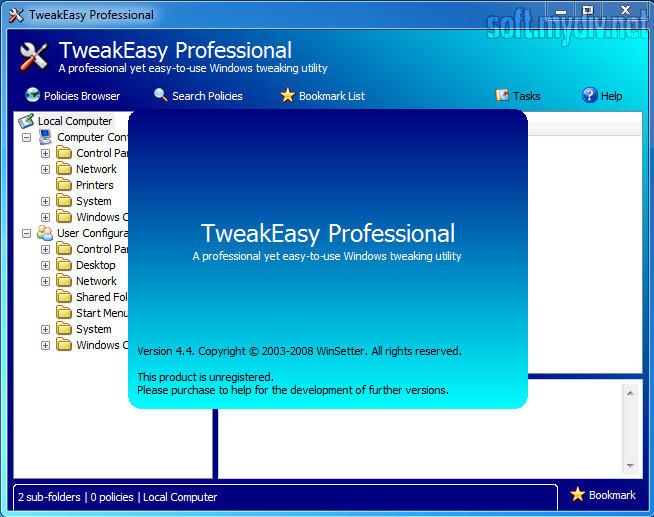
You should know that a computer is running according to some parameters imposed by the developer for our own safety. These parameters are called policies and can be found for both computer and user configuration. You can think of them as a set of rules guiding and protecting whatever settings you make. Policies help you better protect the computer and configure the way your operating system behaves in certain situations (permissions and restrictions to certain actions for certain users). Most of the activity takes place in the background and it is not visible (like system restore gathering the data for creating a restore point). Configuring all the policies is not a difficult task if you know where to look for the managing console. If you want an easy way to kick it off every time you want, we make available an application that enables your access to the list of 2494 policies available in Windows. The "free" edition of the application comes only with basic features (ability to browse all policies, ability to filter policies, and ability to change the software skin), while the "professional" edition comes with full features (ability to browse all policies, ability to search all policies, ability to bookmark all policies, ability to filter policies, availability of status bar, ability to save/load all policies, ability to reset all policies to default state, ability to create all policies report, availability of log, ability to export log, ability to restrict the software usage, and ability to change the software skin). · Ключевые особенности и характеристики TweakEasy Professional 4.3
• Способность просматривать 2494 разных настроек.
• Способность поиска любого значения в течении нескольких секунд. • Способность редактировать одним кликом мышки. • Способность фильтрации настроек по типам. • Способность сохранять и загружать настройки в считанные секунды. • Способность сброса всех настроек в состояние "по умолчанию". • Создание отчета о состоянии системы в считанные секунды. • Способность сохранения лог-файлов. • Способность защиты программы паролем. • Способность загрузки скинов для программы. • 15-ти дневный пробный период. • Поддержка Windows Vista, Server 2003, XP, and 2000. *Тестировано на компьютерах с процессором Intel Core 2 Duo · Ограничения TweakEasy Professional 4.3
•Тестовый период 15 дней
· Специальные требования TweakEasy Professional 4.3
Специальные требования не определены
· История версий и изменений TweakEasy Professional
Версия: Version 4.1 • Исправлена ошибка в работе с Windows 2000• Исправлена фильтрация настроек • незначительные измененния Смотреть всю историю изменений программы (3) · Описание и дополнения от редакторов и пользователей сайта
•Профессиональная програмка для токой настройки операционной системы, поддерживаются Windows Vista, Server 2003, XP, and 2000
•Пробный период 15 дней •Есть бесплатная версия с ограниченным функционалом Связанные статьи, обзоры и новостиНет относящихся к программе статей и обзоров.
|
Рабочий столИгрыИнтернетМультимедиаСетиОфисное ПОПортативное ПОРазработкаБезопасностьСистема и утилитыВосстановление и BackupПроизводительностьМенеджеры загрузки и дисковУправление файламиЖесткий дискCD и DVD инструментыАвтозапуск и завершениеКаталогизаторыРасширения ОССистемная информацияСжатие данныхМенеджеры файловНастройка системыCPUПамятьРеестрДеинсталляторыНастройка видеоНастройка модемаДругие
|
|